How to Build a "Second Brain" Using NotebookLM and Obsidian
Who Should Build a Second Brain?
Ye system kisi ke liye bhi hai jo overwhelmed feel karta hai information se:
- Students: Research papers, lecture notes organize karne ke liye
- Content Creators: Ideas aur resources track karne ke liye
- Professionals: Meeting notes aur insights connect karne ke liye
- Learners: Online courses aur tutorials se maximum extract karne ke liye
Agar aap din mein 3+ hours content consume karte hain aur baad mein 90% bhool jate hain, toh ye guide aapke liye hai.
If you regularly consume content but struggle to reuse it later, this system is for you. This isn’t about saving more notes. It’s about building a memory that actually works. Your brain is not a hard drive. It’s a CPU. Its job is to process ideas — not store them forever. That’s why you need a second brain.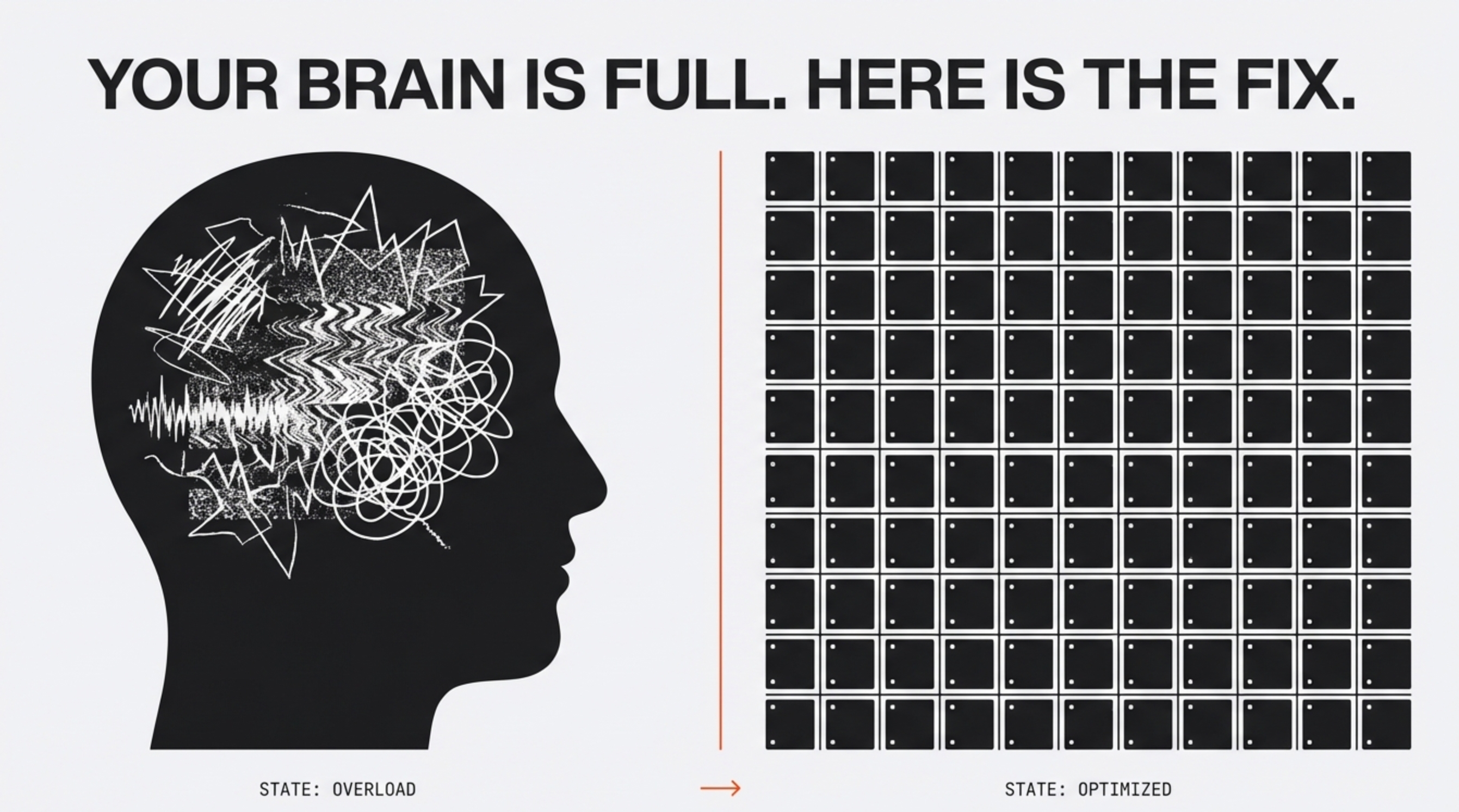
Iska solution hai ek "Second Brain" build karna—ek aisa digital system jo aapke liye sab kuch yaad rakhe. 2026 mein, Notion ab purana ho chuka hai (it's too slow). Best tech stack ab Google NotebookLM aur Obsidian ka combination hai.
Yahan wo exact workflow hai jo main use karta hoon taaki main kabhi kuch na bhoolun.
The Problem: Data Bottleneck
Most people dump everything into Notion or Apple Notes. Result? A graveyard. Saved, never revisited.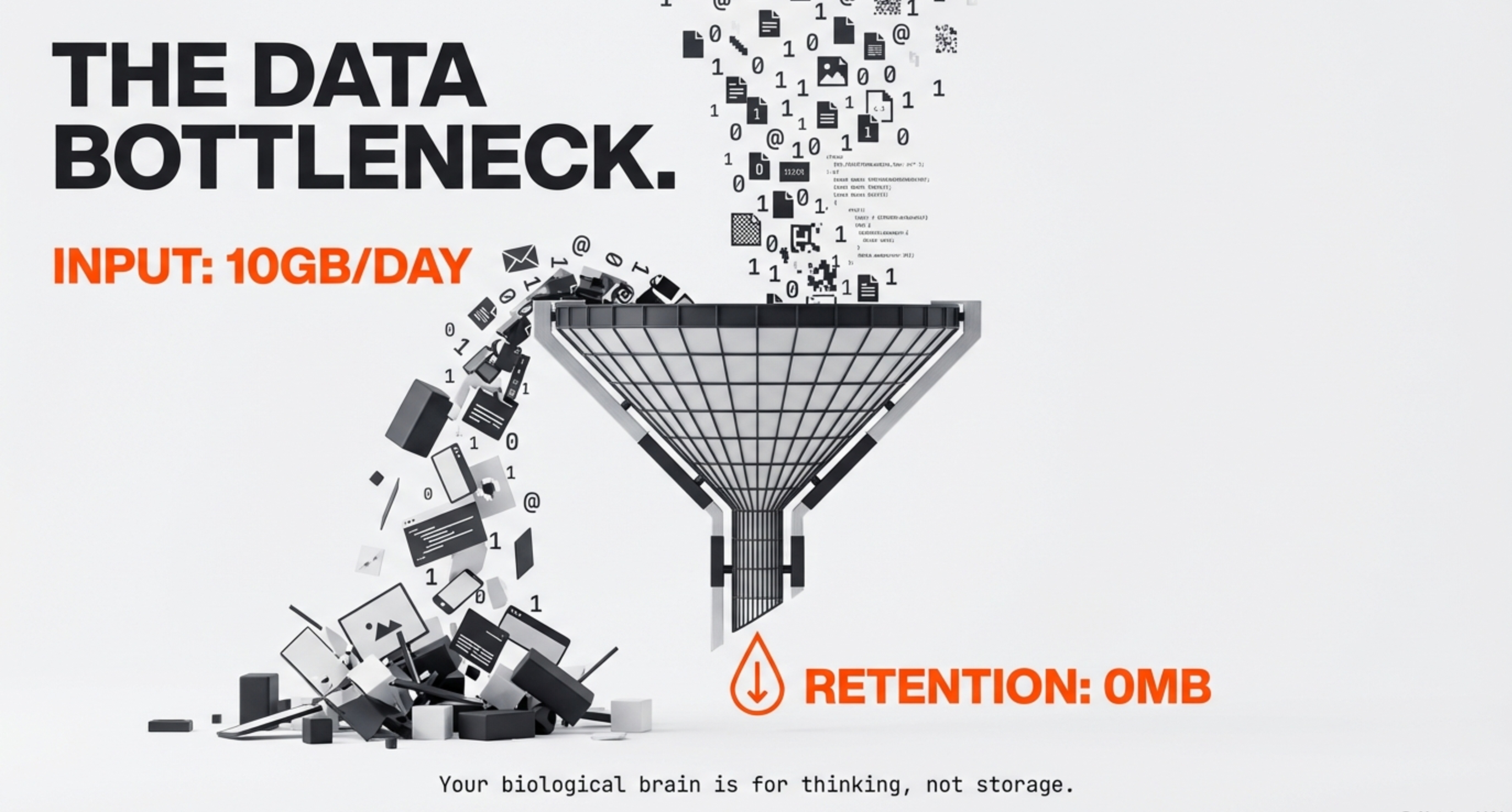
Humein ek aise system ki zaroorat hai jo do cheezein kare:
- Understand (AI): Content ko jaldi samajhna.
- Link (Graph): Content ko permanently connect karna.
What You'll Need (Prerequisites)
Is workflow ko start karne se pehle ye teen cheezein ready rakho:
- Google NotebookLM Account: Free hai, bas Google account chahiye → notebooklm.google.com
- Obsidian App: Download from → obsidian.md (Windows, Mac, Linux sab ke liye free hai)
- 15 minutes: Initial setup ke liye bas itna time
Bas itna. Ab chalo actual workflow dekhte hain.
The Tech Stack: NotebookLM + Obsidian
Notion is a database. Obsidian is a knowledge graph. NotebookLM helps you understand information. Obsidian helps you remember and reuse it. That’s why this stack works.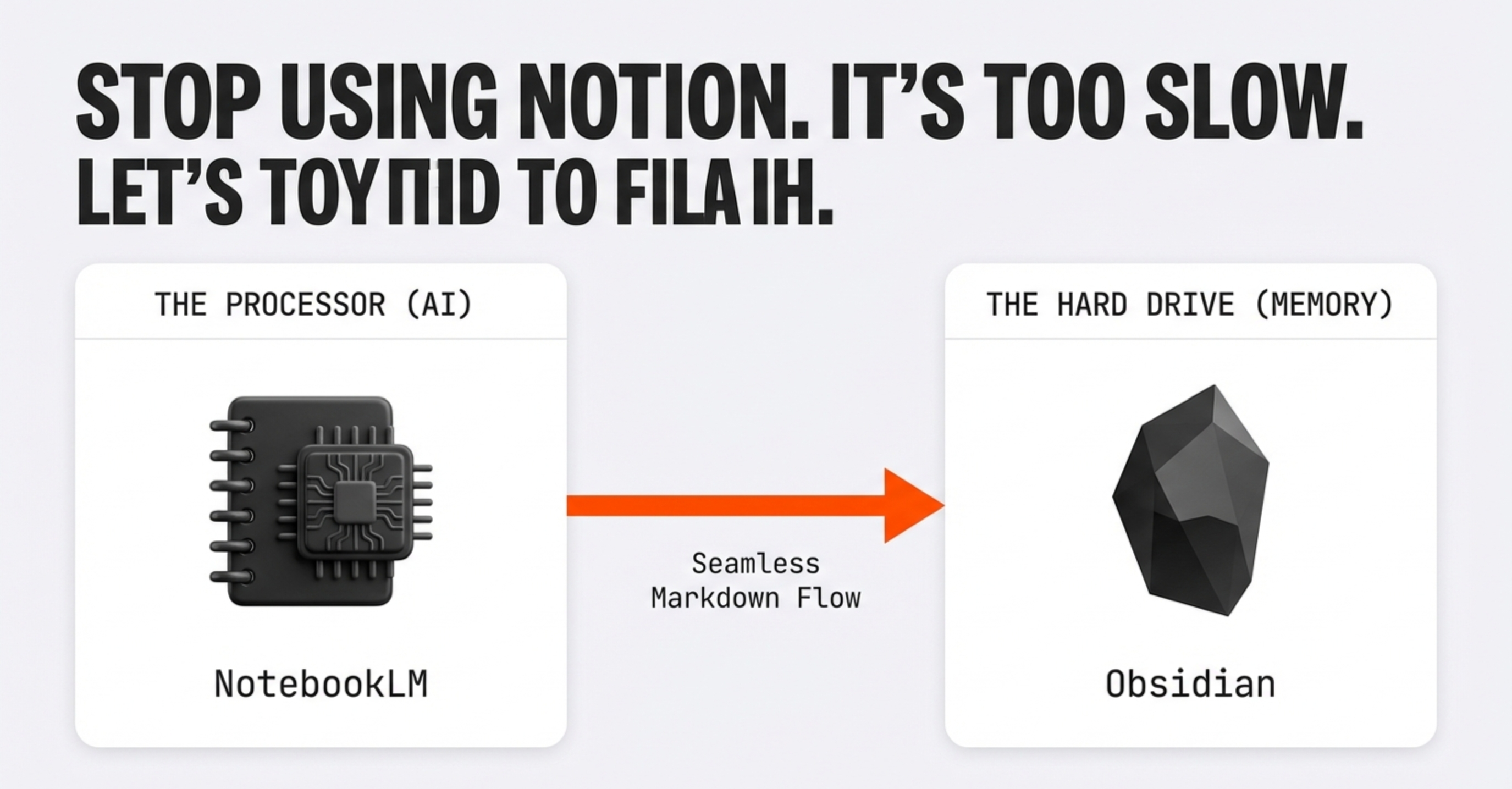
Step 1: The Processor (Google NotebookLM) - Setup & Usage
Why NotebookLM? Kyunki ye sirf save nahi karta, samajhta hai. Traditional note-taking apps mein aap PDF dump karte ho aur bhool jate ho. NotebookLM usse process karta hai.
How to Set It Up:
- NotebookLM kholo: notebooklm.google.com pe jao
- New Notebook banao: "Create" button pe click karo
- Source upload karo: PDF, Google Doc, ya text paste karo

Actual Workflow (Example):
Maan lo aapne "Atomic Habits" ka Chapter 1 PDF upload kiya:
- Upload PDF: Sources → "Upload" → Select file
- Audio Overview generate karo: "Audio Overview" button pe click → 10 min podcast ready
- Key points extract karo: Chat box mein type karo:
"Extract the 5 core ideas from this text.
Format as markdown bullet points with brief explanations."
Pro Tip:
Audio Overview ko gym ya commute mein suno. Ye complex PDFs ko digestible conversations mein convert kar deta hai. Ek 50-page research paper ko 8-minute podcast mein samajh sakte ho.
Step 2: The Workflow - NotebookLM to Obsidian
Ab jab NotebookLM ne content process kar diya, usse permanent storage mein transfer karna hai.
Extract & Format:
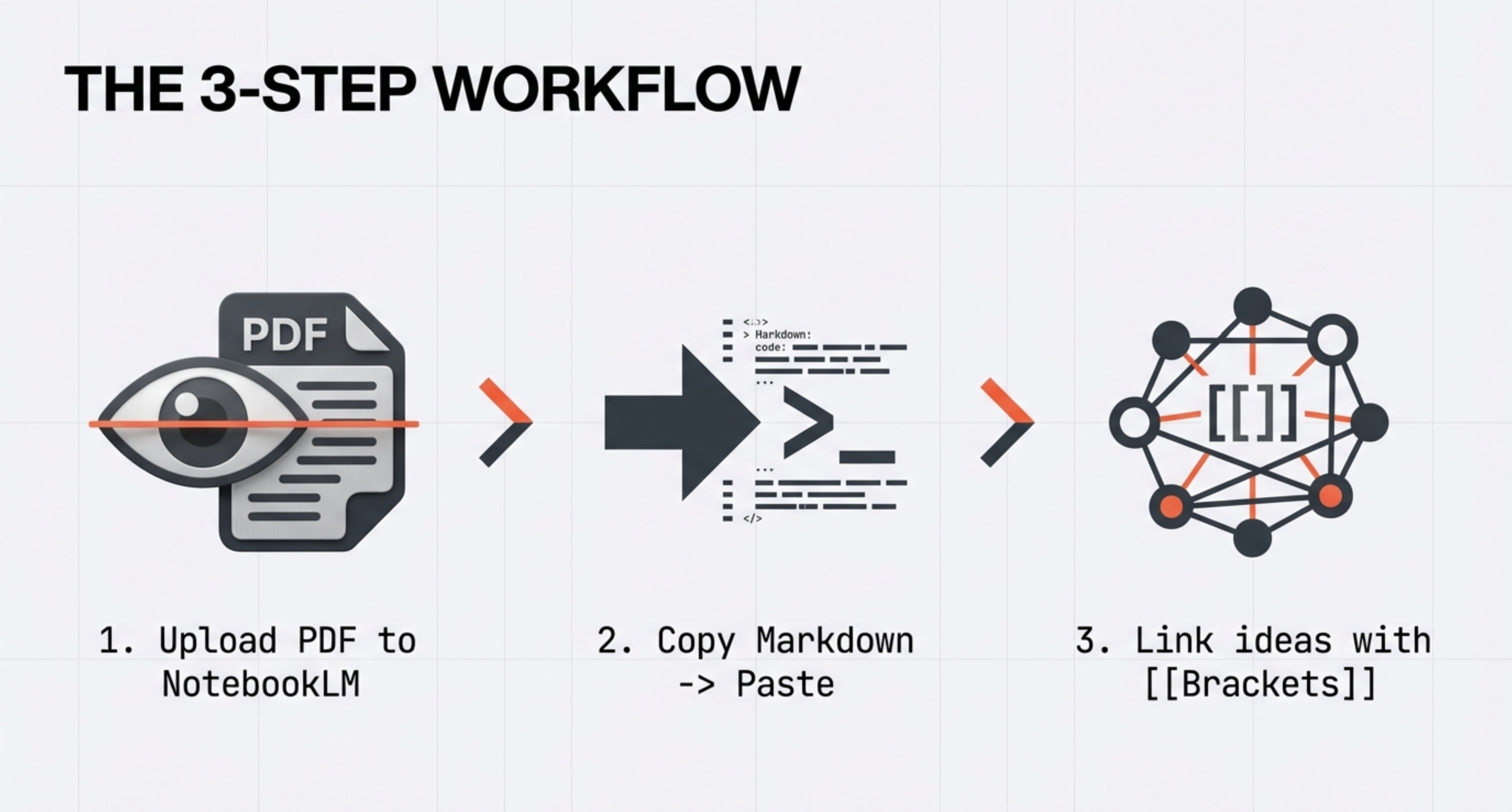
NotebookLM se jo response mila (markdown bullets), use copy karo. Ye kaisa dikhega:
# Atomic Habits - Chapter 1 Notes

## Core Ideas:
- **Habits compound over time** - 1% daily improvement = 37x better in a year
- **Focus on systems, not goals** - Winners aur losers ke goals same hote hain
- **Identity-based habits work best** - "I am a runner" > "I want to run"
- **Environment shapes behavior** - Willpower overrated hai, design matters
- **Plateau of latent potential** - Results delayed hote hain, quit mat karo

## Key Quote:
> "You do not rise to the level of your goals. You fall to the level of your systems."

## Connections:
- Links to: [[Self-Improvement]], [[Productivity]], [[Psychology]]
- Related books: [[Deep Work]], [[Tiny Habits]]
Is formatted markdown ko ab Obsidian mein paste karna hai.
Example:
Chalo ek complete example dekhte hain. Maan lo aapne Andrew Huberman ka podcast episode dekha about sleep:
Step-by-Step:
1. Capture (NotebookLM):
- YouTube transcript copy karo (ya video link paste karo)
- NotebookLM mein upload karo
- Ask: "What are the 5 most actionable sleep tips from this content?"
2. Process (NotebookLM Response):
## Huberman Sleep Protocol

1. **Morning sunlight** - 10min within 1hr of waking
2. **Caffeine delay** - Wait 90min after waking
3. **Temperature control** - Cool room (65-68°F)
4. **Magnesium Threonate** - 300mg before bed
5. **No food 3hrs before sleep** - Stops digestion interference
3. Store (Obsidian):
Is content ko "Books/Huberman-Sleep.md" mein save karo aur link karo:
Links to: [[Sleep]], [[Circadian Rhythm]], [[Supplements]],
[[Morning Routine]], [[Andrew Huberman]]

Related: [[Why We Sleep - Matthew Walker]], [[Sleep Tracking]]
Result: Agli baar jab aap "Sleep" topic explore karoge, ye note automatically surface hoga saath mein related insights ke saath.
Step 3: The Vault (Obsidian) - Organization & Linking
Initial Setup:
- Obsidian open karo → "Create new vault" → Name it "Second Brain"
- Folder structure banao:
Second Brain/
├── 📚 Books/
├── 📝 Articles/
├── 💡 Ideas/
├── 🎓 Courses/
└── 🔗 MOCs/ (Maps of Content)
How Linking Works:
Obsidian ki power hai bi-directional links. Ye kaise kaam karta hai:
Example: Aap "Atomic Habits" note mein likh rahe ho:
The book talks about how [[Habits]] are formed through a
[[Cue-Routine-Reward Loop]]. This connects to [[BJ Fogg]]'s
research on [[Tiny Habits]] and [[Behavior Design]].

For practical application, see my [[Morning Routine]] note.
Jab aap [[Habits]] likhte ho:
- Agar "Habits" note exist karti hai → instant link ban jata hai
- Agar nahi hai → Obsidian automatically create kar dega jab click karoge
- Bi-directional: "Habits" note mein automatically "Atomic Habits" ka backlink dikhega

Graph View Magic:
6 months baad jab aap Graph View khologe (Ctrl+G), tumhe apna entire knowledge web dikhega. Connected notes clusters banate hain. Ye aapke brain ke neural network jaisa dikhta hai.
Pro Tips & Best Practices
Daily Review Routine
- Morning (5 min): Kal ke notes review karo, weak links strengthen karo
- Evening (10 min): Aaj ka content process karo NotebookLM mein
- Sunday (30 min): Graph View mein orphaned notes find karo aur connect karo
Linking Strategy
- Concept notes: [[Productivity]], [[Learning]] - broad topics
- Source notes: Books, articles, videos - specific content
- MOC (Map of Content): Index pages jo related notes ko organize karein
Example MOC:
# Productivity MOC

## Frameworks
- [[GTD Method]]
- [[PARA Method]]
- [[Zettelkasten]]

## Tools
- [[Obsidian]]
- [[NotebookLM]]

## Key Insights
- [[Deep Work Principles]]
- [[Atomic Habits Framework]]
Common Mistakes to Avoid
- ❌ Hoarding without processing: NotebookLM skip karke direct Obsidian mein dump mat karo
- ❌ Over-organizing: 20 folders mat banao, 5-6 enough hain
- ❌ Perfectionism: Perfect note wait mat karo, atomic notes banao aur iterate karo
- ❌ No review: Weekly review skip mat karo, connections fade ho jate hain
Common Issues
NotebookLM Problems:
Q: Audio Overview nahi ban raha?
A: Source 500 words se kam hai shayad. Longer content upload karo ya multiple sources combine karo.
Q: Responses generic aa rahe hain?
A: Specific questions pucho. "Summarize this" ke bajaye "Extract actionable advice for [your use case]" pucho.
Obsidian Problems:
Q: Links kaam nahi kar rahe?
A: Double brackets use karo [[Like This]] aur spelling same rakho.
Q: Graph View messy lag raha hai?
A: Normal hai initially. 50+ notes ke baad meaningful patterns dikhne lagte hain.
Workflow Problems:
Q: Daily routine maintain nahi ho raha?
A: Start small. Pehle week mein bas 1 note/day. Consistency > Volume.
The Verdict
Stop trusting your memory. It’s not designed for storage.
Use NotebookLM to remove noise. Use Obsidian to turn signal into leverage.
Start today: upload one article to NotebookLM and create one linked note in Obsidian.